Every serial number, from purchase to customer
GST billing and stock software that records the serial or IMEI number of every piece you buy and sell, and prints it on your challans and invoices.
Know exactly which piece you sold
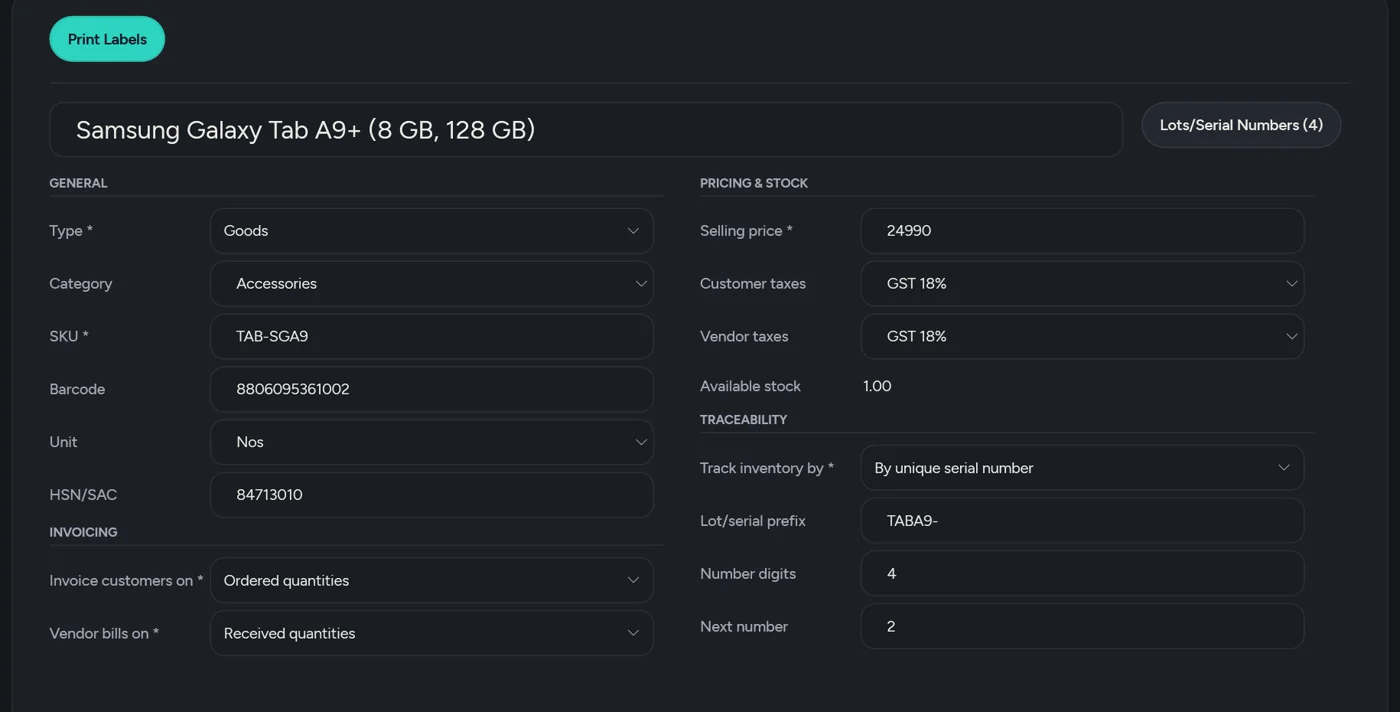
Mark a product as tracked by unique serial number once. GeetabyteERP does the rest.
- Scan serial numbers when stock arrives from the supplier
- The same serial cannot be brought into stock twice
- Only serials that are in stock can be delivered or billed
- No serial written? The oldest piece in stock is picked for you
- Customer returns go back into stock under the same serial
Serial numbers on challans and invoices
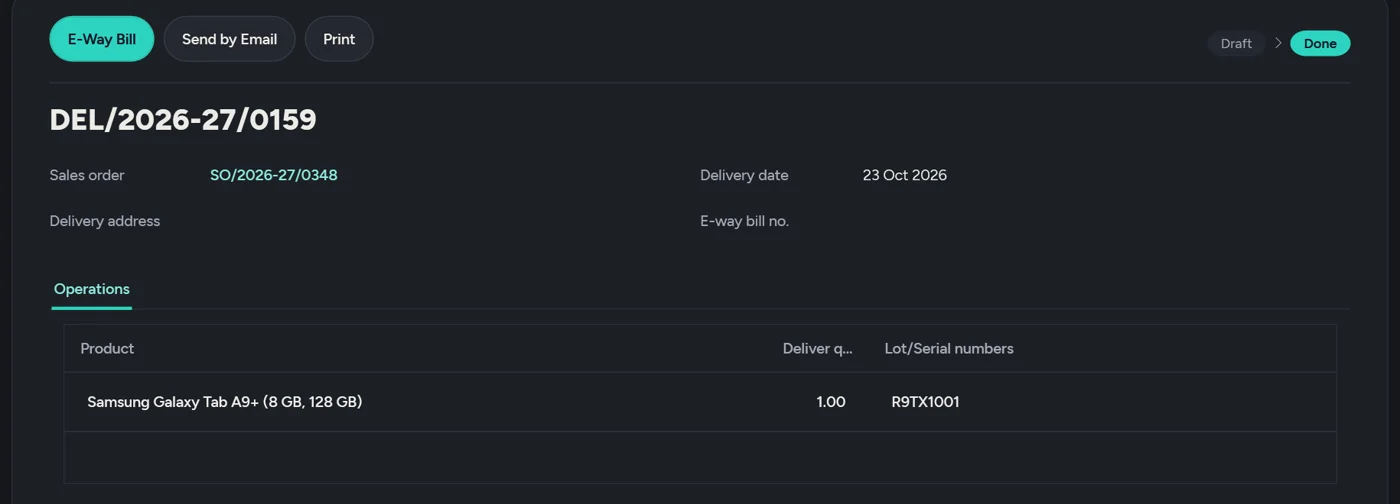
Every delivery records which serial went to which customer, and the numbers are printed for your customer too. Warranty claims become simple.
- Printed under the product name on the delivery challan
- Printed on the GST invoice, taken from the delivery
- Shown on goods receipts from your suppliers
Scan to bill. Print your own labels.
Give every product a barcode. Scan it while making a quotation, order or invoice and the product is picked at once.
Barcode on every product
Use the maker's barcode or your own. Each barcode belongs to one product only.
Scan to bill
Scan while making a quotation, order or invoice and the product is added at once.
A4 sticker sheets
Choose how many labels fit in a row and on a page, with or without the price.
Label printers
Any label size in mm, including inch rolls like 2 × 1 inch.
Lot and serial labels
Print labels where the barcode is the lot or serial number itself.
Name, SKU and price
Every label shows the product name, SKU or lot, price and a scannable barcode.
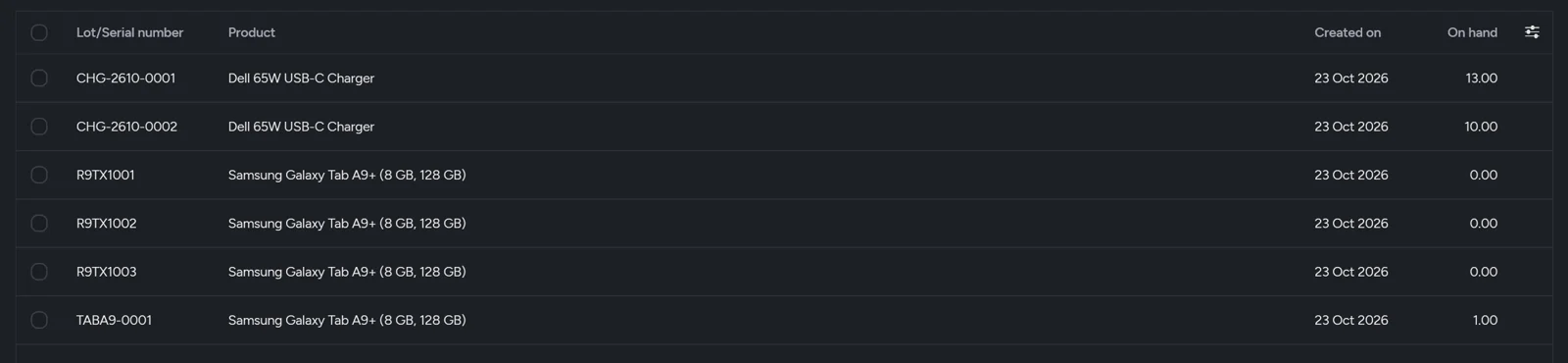
See what is in stock, piece by piece
A list of every lot and serial number with the quantity on hand. Create numbers by hand or let your own series make them, like TAB-0001, TAB-0002.